How to Make an Alarm Sound from Video Audio with Mezame
Mezame Alarm is an iPhone, iPad, and Android alarm app for people who want more than a default bell. This guide explains how to save audio from a video and use it as an alarm sound, using custom sounds, spoken cues, sleep mode, and simple alarm checks where they fit.

Quick setup
- 1Create or choose the sound you want to use.
- 2Assign it to one alarm and test it before relying on it.
- 3Add a backup alarm or sleep-mode cue only if it solves a real problem.
Choose a sound with a clear role
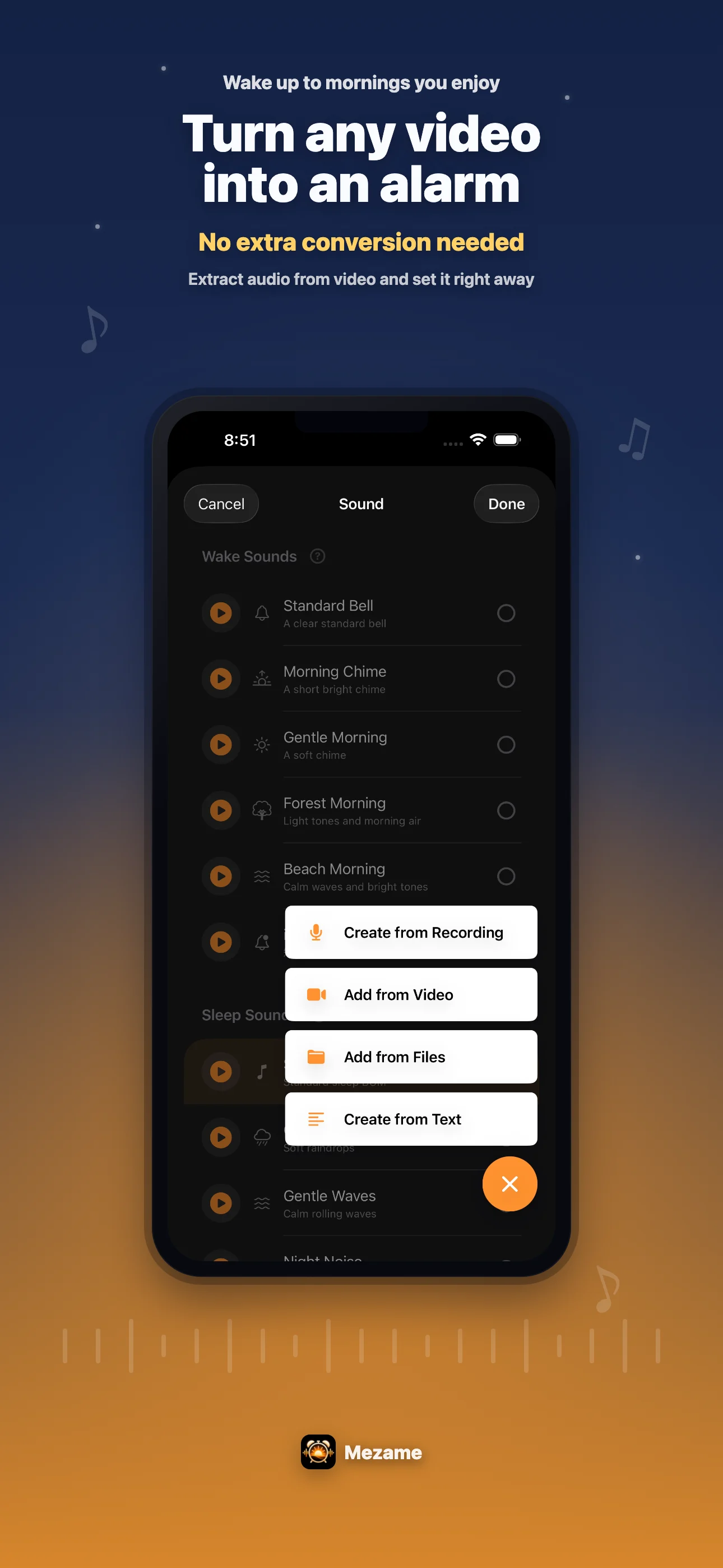
Mezame helps you save audio from a video and use it as an alarm sound. Instead of using the same bell every day, give each sound a specific role.
A song can make weekends feel lighter, a recorded voice can feel personal, and a spoken message can tell you exactly what to do next.
Mezame Alarm app screen
Create and check My Sounds
You can add sounds from video audio, recordings, text-to-speech, and audio files. After saving one, play it from My Sounds before assigning it to an alarm.
The first few seconds matter. If the start is too quiet or unclear, choose a different clip or make a shorter sound for mornings.
Rotate sounds before you stop noticing them
Even a favorite sound can become too familiar. Keep a few options for weekdays, weekends, important days, naps, and work sessions.
Added sounds can be edited or deleted with a left swipe, so you can keep the list clean as your routine changes.
Try Mezame
Mezame Alarm is an iPhone, iPad, and Android alarm app that can use favorite songs, video audio, recordings, and spoken messages as alarm sounds.